Without Needs Analysis
Days to weeks (if ever)
With Needs Analysis
Minutes, during the first visit
Without Needs Analysis
10-20% of sent questionnaires
With Needs Analysis
70-85% first-session completion
Without Needs Analysis
2-4 hours of follow-up
With Needs Analysis
Near zero
Without Needs Analysis
5-15 business days
With Needs Analysis
Same day
You have qualified buyers on your website right now. They want to buy. But between their intent and your quote lies the most friction-heavy step in your entire sales process: collecting the technical requirements needed to configure the right solution. Your current needs analysis process is where deals go to die.
Somewhere in your sales process lives a spreadsheet. Maybe it is an Excel file with 30 columns and conditional formatting. Maybe it is a PDF form with tiny checkboxes. Maybe it is a Word document with a table your team built in 2016 and has been emailing to prospects ever since.
This spreadsheet is the single biggest deal-killer in your pipeline, and nobody talks about it.
Here is what happens: A prospect fills out a contact form or chats with your sales team. They are interested. They have a budget. They have a timeline. Your rep sends them the requirements questionnaire, your version of a client needs analysis. And then... nothing.
The prospect opens the spreadsheet, sees 40 fields they need to look up, realizes they need input from three colleagues, saves it to their desktop “to finish later,” and never touches it again. Your rep follows up. And follows up. And follows up. The deal quietly dies.
This is not a sales problem. It is a UX problem. You are asking a motivated buyer to do unpaid data entry on your behalf, in a format designed for your internal processes, not for their experience. Most companies never learn how to perform a needs analysis that actually gets completed, because the problem is not the questions; it is the delivery method.
When someone does not complete your intake form, your sales team has no visibility into where they got stuck. Did they abandon at question 5 because they did not understand it? Did they complete 80% but need one data point from a colleague? Did they never open the file at all?
Without this context, every follow-up is the same generic nudge: “Just checking in on that questionnaire.” The prospect, already frustrated by the complexity, now feels pressured instead of supported. The dynamic shifts from collaborative to adversarial. Three follow-ups later, the rep marks the lead as unresponsive and moves on.
Meanwhile, the buyer still has the problem your product solves. They just found someone easier to buy from. Your sales needs analysis failed not because the questions were wrong, but because the process made it impossible to answer them.
Even when prospects do complete your needs analysis form, the data quality is often unusable. Free-text fields filled with ambiguous answers. Units of measurement are missing or inconsistent. Critical fields left blank with a note saying “TBD.” Handwriting that nobody can read on scanned PDF forms.
Your engineering or configuration team receives the completed questionnaire, spends an hour reviewing it, then sends it back to the sales rep with a list of clarification questions. The rep emails the prospect again. Another round of back-and-forth. Another week of delay. The total time from first inquiry to accurate quote stretches from days into weeks.
For every day that passes between initial interest and delivered quote, the probability of closing drops. Your competitors who quote faster win, even when your product is better. A broken needs analysis process does not just slow you down; it hands revenue to whoever made the process easier.
Many B2B intake processes require domain expertise to complete correctly. Chemical compatibility assessments require knowledge of molecular properties. Equipment specifications require an understanding of operating conditions. Compliance questionnaires require familiarity with regulatory frameworks.
Your prospects are experts in their own work, but not in your intake process. When they encounter a field they do not understand, whether it is a CRM needs analysis questionnaire or a technical specification form, they have two options: guess (which creates data quality problems) or stop and ask for help (which creates delays).
Neither option moves the deal forward efficiently. And asking your sales team to walk every prospect through a 45-minute intake call does not scale. What is needed is a needs analysis method that guides buyers through the process without requiring them to become experts in your internal systems.
Your prospects already have the data you need. It is buried in their SOPs, spec sheets, safety data sheets, and internal procedures. You are asking them to retype it into your spreadsheet. They will not do it. Needs Analysis eliminates the re-typing entirely.
When a visitor indicates they need a quote or want to start a project, Needs Analysis activates within the ENGAGE chat and opens a dedicated panel alongside the conversation. The visitor fills out your requirements through a guided, adaptive interface, a customer needs analysis that feels like a conversation, not a form, while your ENGAGE chatbot stays available right beside it to answer questions in real time.
Your prospects already have the data you need. It is buried in their SOPs, method documents, spec sheets, safety data sheets, and internal procedures. Instead of asking them to manually re-enter this information field by field, Needs Analysis lets them upload their existing documents.
Our AI analyzes the document within seconds, extracts the relevant data, and pre-fills the intake form automatically. The prospect reviews what was extracted, makes corrections if needed, and adds anything that was not in the document. This is the core of our needs analysis tools, technology that does the heavy lifting so your buyers do not have to.
For a chemical safety intake that would normally take 45 minutes of manual data entry, document upload reduces it to under 5 minutes of review and confirmation. For an equipment specification intake with dozens of parameters, the AI pulls operating conditions, material requirements, and performance criteria directly from the prospect’s own documentation.
Document upload is optional. Visitors can fill out any section manually, use document upload, or combine both approaches, completing some fields by hand and uploading documents for the complex sections.
Needs Analysis does not show prospects a wall of empty fields. It guides them through the needs analysis process intelligently:
The experience feels like a conversation, not a form. Every field has context. Every question makes sense given what the prospect has already answered. Think of it as a needs analysis pyramid, starting with broad categories and narrowing down to the specific details your configuration team needs.
The ENGAGE chatbot stays active alongside the Needs Analysis panel. If a prospect gets stuck on a field, confused by a technical term, or unsure which option applies to their situation, they simply ask the chatbot. The AI, trained on your complete product knowledge, provides guidance specific to the field they are completing.
This eliminates the two biggest causes of form abandonment: confusion about what is being asked, and not knowing the correct answer. The chatbot becomes a live assistant, conducting a needs analysis alongside the prospect and guiding them through a process that previously required a scheduled call with your sales team.
Not every prospect can complete every field in a single session. Maybe they need a data point from a colleague. Maybe they need to check a specification back at their facility. Needs Analysis handles this without losing the deal:
No more “just checking in on that spreadsheet” emails. Your follow-ups are targeted, helpful, and specific to where the prospect actually stopped.
Every submission, complete or partial, flows directly into your CRM as a qualified sales lead:
Your sales team sees a fully enriched lead with requirements data attached, not a name and email address with zero context. The needs analysis steps that used to require hours of manual effort now happen automatically.
STEP
1
A visitor is chatting with your ENGAGE chatbot on your website. They ask about pricing, request a quote, or indicate they are ready to start a project. The chatbot recognizes the intent and introduces the needs analysis: "I can help you get a quote right now. Let me pull up a quick set of questions about your requirements so we can configure the right solution for you."
A dedicated panel slides into view alongside the chat. The visitor sees a clean, guided interface, not a spreadsheet.
STEP
2
If the prospect has existing documentation, such as SOPs, method descriptions, spec sheets, safety data sheets, or project briefs, they can upload them directly. The AI analyzes the documents and pre-fills relevant fields within seconds.
The prospect sees exactly what was extracted and can edit, confirm, or supplement any field. Nothing is submitted without their review.
STEP
3
For fields not covered by document upload, the Needs Analysis form guides the prospect through each section:
This is how to do a needs analysis without forcing your buyer to become an expert in your internal processes. The system handles customer needs analysis techniques, branching logic, technical terminology, and contextual help, so the buyer can just answer questions in plain language.
STEP
4
Before submission, the prospect sees a complete summary of everything they have entered. They can edit any field, add notes, or flag items they want to discuss with your team.
When they submit, three things happen simultaneously:
STEP
5
For incomplete submissions, targeted email sequences are automatically activated. These are not generic “just checking in” messages. They reference the specific fields that remain incomplete and offer specific help.
"Hi [Name], I noticed you left the operating temperature range blank on your intake form. If you are not sure which range applies to your application, I can help. Just reply to this email or click here to finish up. It should take under 2 minutes."
Each follow-up comes from the assigned rep’s actual email address, maintaining the personal relationship from the start. This is the follow-through that most needs analysis survey tools completely ignore, because they are built to collect data, not to close deals.
STEP
6
Our team monitors intake completion rates, identifies where prospects abandon or hesitate, and refines the experience:
This is the difference between a static needs analysis form and a living system that gets better every month.
Most companies know their intake process is broken. Some try to fix it. Here is what typically goes wrong when they try to create a needs analysis on their own.

Someone on your marketing or ops team builds a web form. It takes a week. It looks reasonably professional. And it solves approximately none of the actual problems.
The form has no conditional logic; every prospect sees all 40 fields regardless of their situation. There is no document upload, so prospects still have to manually re-enter data from their spec sheets. There is no autocomplete, so free-text answers are inconsistent and often unusable. There is no AI assistance, so when a prospect does not understand "operating temperature range (°C, continuous duty)," they guess or abandon.
Most critically, nobody monitors it after launch. The form sits there for two or three years, unchanged. Nobody reviews completion rates. Nobody analyzes where prospects drop off. Nobody updates it when the product catalog changes or when your engineering team starts needing different data.
The form technically exists. The completion rate is 15%. The data quality requires hours of cleanup. Your sales team quietly goes back to emailing the spreadsheet because at least they know how that works. The needs analysis tools you bought became shelfware within six months.

Someone proposes building a proper intake system. The IT team or a development agency scopes a project: six months, $100-150K, custom-built for your exact process.
Six months becomes nine. The budget goes 40% over. The system launches with most of the promised features. Then reality hits.
The sales team needs a field changed. That is a dev ticket, minimum 2 weeks. The product catalog gets reorganized. The conditional logic breaks, and nobody knows why. A new product line launches, and the intake form does not support it. That is another dev ticket. Marketing wants to update the language on two questions. Another dev ticket.
Within a year, the system is as rigid as the spreadsheet it replaced, except it cost $150K and requires a developer every time someone needs a change. Your sales and configuration teams cannot modify it without submitting a request and waiting.
And nobody is optimizing it. Nobody is analyzing completion data to improve the experience. Nobody is training AI on your industry's documents. It was a build-and-forget project, and it is already falling behind.

Your sales manager decides the spreadsheet is too much friction, so the new policy is: "Just get them on a call and walk through it." Problem solved, right?
It works for the first five prospects. Then it does not scale.
Each intake call takes 30-45 minutes. Your rep has 20 active opportunities. That is 10-15 hours a week on data collection, not on selling, not on building relationships, not on working deals. Just asking needs analysis questions from a form and typing answers into a spreadsheet during the call.
The calls only occur during business hours, so international prospects or buyers in different time zones may wait days to schedule. Prospects who are ready to submit requirements at 9 pm on a Tuesday have to wait until someone is available on Thursday at 2 pm. By then, the urgency has faded, or they have already talked to your competitor.
And the data quality is not actually better. Your rep is typing quickly during the call, abbreviating, paraphrasing, and making assumptions. The engineering team still gets incomplete data. They still send back clarification questions.
You replaced a spreadsheet problem with a scheduling problem. Neither one gets you closer to a quote faster. Neither approach reflects the needs analysis steps that actually lead to completed requirements and closed deals.
Most chatbot companies sell you a platform and wish you luck. AI companies sell you a model and tell you to figure out the rest. Needs Analysis is neither of those things.
We design, build, deploy, and continuously optimize your entire intake process. The outcome you pay for is specific: qualified requirements data flowing into your CRM, collected automatically from your website visitors, without your sales team lifting a finger. This is what conducting a needs analysis looks like when someone else owns the process end-to-end.

Our team studies your current intake workflow, from the spreadsheet or form you send today to the back-and-forth emails that follow. We identify where prospects drop off, which questions cause confusion, and what data your configuration or engineering team actually needs versus what you are collecting out of habit. We apply proven customer needs analysis methods to redesign the experience from the buyer's perspective, not yours.
Then we rebuild the entire experience from scratch, optimized for completion, not just data collection.
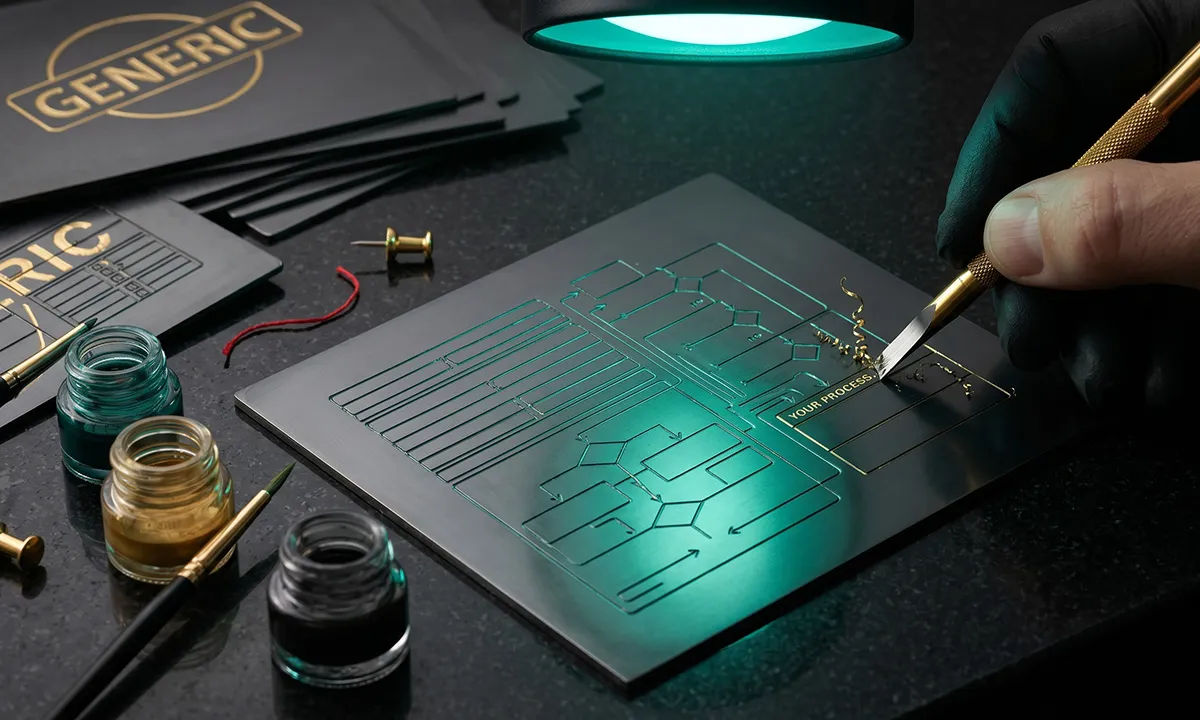
Every Needs Analysis deployment is custom. Your fields, your product logic, your conditional rules, your document types, your CRM mapping. We structure the intake to align with your actual configuration and quoting workflow, so the data that arrives in your CRM is immediately usable by your team.
This is not a template. This is not a sales needs analysis template you download and customize yourself. It is a custom-built intake system trained on your products, your industry terminology, and your sales process.
After launch, our team reviews completion data, identifies friction points, and refines the experience:


You get a sales channel that improves each month without taking up any of your team's time. This is what separates a needs-based analysis tool from a managed outcome.
CAPABILITY
DIY APPROACH
NEEDS ANALYSIS
Design
Your team builds forms in-house
We design the entire intake experience
AI Training
You configure rules yourself
We train AI on your products and documents
Document Analysis
Not available
AI extracts data from uploaded SOPs, specs, and procedures
Deployment
Your IT team integrates
We deploy within your ENGAGE chatbot
Monitoring
Your team reviews (if they have time)
Our team monitors completion rates daily
Optimization
Happens when someone has bandwidth
Continuous, data-driven improvement
CRM Integration
Your team maps fields
We configure routing, assignment, and field mapping
Follow-Up
Your team writes emails
We build targeted sequences for incomplete submissions
Accountability
Falls to whoever "owns" the form
We own the outcome: completed forms in your CRM
DIY APPROACH
Your team builds forms in-house
NEEDS ANALYSIS
We design the entire intake experience
DIY APPROACH
You configure rules yourself
NEEDS ANALYSIS
We train AI on your products and documents
DIY APPROACH
Not available
NEEDS ANALYSIS
AI extracts data from uploaded SOPs, specs, and procedures
DIY APPROACH
Your IT team integrates
NEEDS ANALYSIS
We deploy within your ENGAGE chatbot
DIY APPROACH
Your team reviews (if they have time)
NEEDS ANALYSIS
Our team monitors completion rates daily
DIY APPROACH
Happens when someone has bandwidth
NEEDS ANALYSIS
Continuous, data-driven improvement
DIY APPROACH
Your team maps fields
NEEDS ANALYSIS
We configure routing, assignment, and field mapping
DIY APPROACH
Your team writes emails
NEEDS ANALYSIS
We build targeted sequences for incomplete submissions
DIY APPROACH
Falls to whoever "owns" the form
NEEDS ANALYSIS
We own the outcome: completed forms in your CRM
Needs Analysis is an add-on to ENGAGE, so it inherits all of ENGAGE's integration capabilities and adds intake-specific connections. It also integrates seamlessly with the broader Salesperson PLATFORM.


Installs through your existing ENGAGE chatbot. No additional code, no separate widget, no IT project. If ENGAGE is live on your site, you can activate Needs Analysis within it. This is a technology needs analysis solution that deploys in days, not months.
Every B2B company with a complex quoting or configuration process has a version of this problem. Here is how Needs Analysis replaces the spreadsheet, and why the customer needs and wants analysis that used to take weeks now takes minutes.
The scenario: A safety manager needs to configure chemical storage cabinets, fume hoods, or safety showers for a new lab expansion.
Without Needs Analysis
They download your Excel questionnaire. Half the fields require them to look up their lab’s chemical inventory, which lives in a separate system. They need input from the facilities manager on ventilation and from the EHS director on compliance requirements. The spreadsheet gets forwarded between three people, sits in someone’s inbox for a week, and comes back with six fields marked “TBD.”
With Needs Analysis
The safety manager uploads their lab SOPs and chemical inventory list. The AI automatically extracts chemical types, volumes, and handling procedures. The manager reviews and confirms the extracted data, fills in the remaining fields with autocomplete, and flags the ventilation section for their facilities manager using a shared workspace link. Your sales team will have usable requirements data within 24 hours, instead of 2 weeks. This product needs analysis to actually work because it meets the buyer where they are.
The scenario: A process engineer needs to size and configure a filtration system. The requirements involve fluid specifications, particle sizes, flow rates, operating pressures, temperature ranges, and material compatibility.
Without Needs Analysis
Your 35-field questionnaire arrives as a PDF. The engineer has the data scattered across P&IDs, process flow diagrams, and internal specifications. They start filling it out, get to “maximum allowable pressure drop across the filter element (psi)” and realize they need to check with the operations team. The PDF gets saved to their desktop. They never come back.
With Needs Analysis
The engineer uploads their P&ID and process description. The AI pulls flow rates, operating conditions, and material requirements directly from the documents. The engineer confirms the data, adjusts two values, and submits, all in under 10 minutes. Your engineering team gets clean, complete data with the source documents attached for reference. The needs analysis planning that used to consume days of back-and-forth is handled in a single session.
The scenario: A lab manager is evaluating analytical instruments for a new testing capability.
Without Needs Analysis
They receive your requirements form and realize they need to reference three different regulatory methods to confirm detection limits. They also need budget approval context from their director. The form sits incomplete for a week. Two weeks later, they have already received a quote from a competitor who asked five questions over the phone instead of sending a 40-field spreadsheet.
With Needs Analysis
The lab manager uploads their method documentation. The AI identifies the regulatory references, extracts detection limit requirements, and pre-fills the relevant fields. The chatbot helps them select the right throughput tier based on their sample volume. They complete the intake in one session. The business needs an analysis that determines the right instrument configuration in minutes, not weeks.
The scenario: A design engineer needs custom-machined components with material specifications, dimensional tolerances, surface finish requirements, and production volumes.
Without Needs Analysis
They email your sales team the drawings and ask for a quote. Your sales rep opens the drawings, realizes they cannot extract the data themselves, and sends the standard questionnaire asking the engineer to re-enter what is already on the drawings. The engineer, frustrated at being asked to do redundant data entry, puts it off. The deal stalls.
With Needs Analysis
The engineer uploads their engineering drawings or CAD specifications. The AI extracts key parameters, material, tolerances, finish requirements, critical dimensions, and pre-fills the intake form. The engineer reviews, confirms, adds production volume and timeline, and submits. The entire needs and wants analysis is complete before the engineer’s coffee gets cold.
Any B2B company with a complex quoting or configuration process can use Needs Analysis. If your sales team emails a spreadsheet, we can replace it.
IMPLEMENTATION
We do not hand you software and disappear. Here is what goes into building a Needs Analysis deployment that actually works. These are the steps in the needs analysis that separate a real solution from another abandoned form builder.
Phase 1
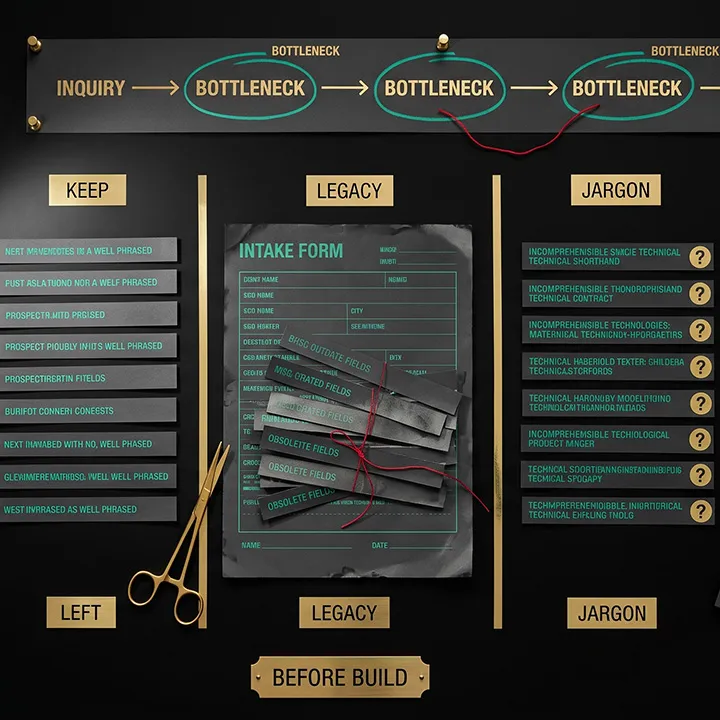
Before we build anything, we study what you are doing today. We review your current intake forms, spreadsheets, and questionnaires. We interview your sales and configuration teams about what data they actually need versus what they collect out of habit. We map the end-to-end process from inquiry to deliverable quote, identifying where prospects drop off, where data quality breaks down, and where your team spends the most time on back-and-forth.
This matters because most intake forms have accumulated fields over the years that nobody uses anymore, conditional dependencies that nobody documents, and questions phrased in internal jargon that prospects do not understand. Building a Needs Analysis on top of a broken process just automates it. We fix the process first. This is how to create a needs analysis that actually gets completed: start with the buyer experience, not the data fields.

Phase 2
We design the field sequence, conditional logic, and section grouping for optimal completion, not just data collection. Every field gets plain-language descriptions and help text so prospects know exactly what is being asked. We configure autocomplete libraries from your product catalog and known values. We train the document analysis AI on your industry's document formats, ensuring high extraction accuracy from day one.
This matters because a form that is technically complete but poorly designed still gets abandoned. The difference between a 20% completion rate and an 80% completion rate is not the technology; it is the experience design. The customer needs analysis techniques we apply, question sequencing, progressive disclosure, and contextual help are what turn a wall of fields into a guided conversation.

Phase 3
We run hundreds of test scenarios across different prospect types and use cases. We validate the accuracy of document analysis against your actual document formats. We test CRM integration and verify that data lands in the correct fields. We test follow-up workflows end-to-end. We provide a private preview for your team to try breaking it.
This matters because edge cases kill credibility. If a prospect uploads a document and the AI extracts the wrong value, they lose trust in the entire system. If data arrives in the wrong CRM field, your sales team loses trust. We find and fix these issues before a single real prospect sees them.

Phase 4
We activate Needs Analysis within your live ENGAGE chatbot, monitor real interactions during the first weeks, and make rapid adjustments based on actual prospect behavior. We establish baseline completion metrics and brief your sales team on the new lead flow and what to expect in their CRM.
Ongoing
We review completion data weekly, analyze performance monthly, and continuously train the AI as new document types and field patterns emerge. We update the intake as your products, pricing, or requirements change. Your needs analysis process stays current because we actively maintain it; it is not a project that shipped and was forgotten.
INVESTMENT
Needs Analysis is an add-on to Salesperson ENGAGE. Pricing is based on the complexity of your specific requirements collection process.

Number of fields and conditional logic paths in your intake process

Document types that need AI analysis (SOPs, spec sheets, safety data sheets, engineering drawings, etc.)

CRM integration complexity and custom field mapping requirements

Number of product lines or configuration scenarios covered

Follow-up automation and collaborative workspace requirements
One-Time Setup
There is a one-time setup fee that covers the intake process audit, AI training, custom form design, CRM integration, and testing. This varies based on complexity, because a 15-field equipment sizing intake is fundamentally different from a 60-field chemical safety assessment with document analysis.
Monthly Service
After launch, a monthly service fee covers continuous monitoring, optimization, AI retraining, follow-up automation, and ongoing support. This is not a software license that sits idle. It is an active service delivering completed intake forms into your CRM every month, a managed needs analysis process, not another tool for your team to learn.
The first step is a 30-minute call where we review your current intake process together. Bring your spreadsheet, your PDF form, your Word document, whatever you send to prospects today. We will walk through it, identify the biggest friction points, and give you an honest assessment of what Needs Analysis can do for your specific situation.
No pressure. No generic demo. A real conversation about your real bottleneck.
PROJECTED IMPACT
70-85%
Intake form completion rate
Before: 10-20%
Under 15 min
Average time to complete intake
Before: 3-10 business days
0-1
Follow-up emails before completion
Before: 3-6 per prospect
Near zero
Sales rep hours per intake
Before: 2-4 hours
Same day
Time from inquiry to deliverable quote
Before: 5-15 business days
Under 15%
Prospects lost to intake friction
Before: 40-60%
"This problem plagued our sales team for years. We knew AI could solve it, but we had no idea where to start. It honestly felt like a pipe dream. Then we started working with Salesperson Inc. and were shocked at how quickly they built it and how well it worked. Their team are seasoned sales funnel experts, not IT people or AI engineers. It is like talking to a colleague who actually cares about the results of your business."
Industrial Equipment Manufacturer
If the answer makes you wince, you already know the problem. Your intake process is where qualified deals go to die.
Every day that your prospects stare at a spreadsheet and close the tab is another day a competitor who made buying easier gets the deal. Not because their product is better. Because their process is.
Needs Analysis fixes this. Not with another form builder or another chatbot feature, but with a fully managed system that collects your requirements, analyzes your prospects’ documents, and delivers completed intake data to your sales team, automatically, 24/7, without anyone on your team doing the work.
Stop conducting a needs analysis the hard way. Let the AI handle the process while your team handles the deals.
How is this different from just using a web form or Typeform?

Web forms and survey tools collect data. They do not understand it. Needs Analysis uses AI to analyze uploaded documents, automatically pre-fill fields, adapt questions based on previous answers, and provide real-time expert assistance through the ENGAGE chatbot. It also handles the entire follow-up workflow for incomplete submissions. A web form just sits there. This is a fundamentally different needs analysis method, one that actively guides the buyer through to completion.
Can prospects still fill out the needs analysis form manually?
Yes. Document upload is completely optional. Prospects can fill out every field manually, upload documents to auto-fill sections, or use both. Some prospects upload a document for the complex sections and manually enter the simpler fields. Whatever works for them.
What types of documents can the AI analyze?
PDF is the primary format. The AI can extract structured and unstructured data from SOPs, method documents, spec sheets, safety data sheets, process descriptions, engineering reports, and similar technical documents. We train the document analysis on your specific industry's document formats during setup, so extraction accuracy is high from day one.
What happens if the AI extracts something incorrectly?
Every extracted value is presented to the prospect for review before submission. They see exactly what the AI pulled from their document and can edit any field. Nothing is submitted without the prospect confirming the data. On our end, we monitor extraction accuracy and continuously improve the AI based on real-world results.
What if a prospect cannot finish the needs analysis in one session?
Partial submissions are saved and routed to your CRM immediately, so your team has visibility. The prospect receives a personalized link to complete the remaining fields at their convenience. They only see the incomplete fields, not the entire form. Automated follow-up emails gently prompt them to finish, with specific references to which fields remain.
Can multiple people contribute to the same needs analysis?
Yes. The collaborative workspace link can be shared with colleagues. One person might fill in the chemical data, another might provide facility specifications, and a third might add compliance requirements. All updates sync to a single record in your CRM. This makes the client needs analysis questions easier for complex organizations where no single person has all the answers.
Does this work with our existing CRM?
Needs Analysis integrates with Salesforce, HubSpot, Microsoft Dynamics 365, Zoho, Pipedrive, and any CRM with an open API. We handle the field mapping during setup so requirements data lands exactly where your team needs it.
Do we need ENGAGE to use Needs Analysis?
Yes. Needs Analysis is an ENGAGE Agent, meaning it operates within your ENGAGE chatbot. The AI expertise that powers your chatbot's product knowledge is the same AI that assists prospects as they fill out the intake form. If you do not have ENGAGE yet, we will set it up together.
What if our products or requirements change after launch?
We update your Needs Analysis configuration as your business evolves. New fields, changed conditional logic, updated product catalogs, and new document types. This is part of the ongoing service, as we actively maintain it. Your intake process stays up to date without your team filing dev tickets or learning new tools.
Does this work with our existing CRM?
Needs Analysis integrates with Salesforce, HubSpot, Microsoft Dynamics 365, Zoho, Pipedrive, and any CRM with an open API. We handle the field mapping during setup so requirements data lands exactly where your team needs it.
How do we measure ROI?
We track completion rates, average time to complete, drop-off points, follow-up effectiveness, and downstream conversion from completed intake to closed deal. Monthly reports show exactly how many requirements forms were completed and how they are progressing through your pipeline. Most of our clients find the ROI math simple: if your sales team currently spends 3 hours per intake on follow-up, and Needs Analysis handles 20 intakes per month, that is 60 hours of recovered selling time every month.
Do we need ENGAGE to use Needs Analysis?
Yes. Needs Analysis is an ENGAGE Agent, meaning it operates within your ENGAGE chatbot. The AI expertise that powers your chatbot's product knowledge is the same AI that assists prospects as they fill out the intake form. If you do not have ENGAGE yet, we will set it up together.
What if our products or requirements change after launch?
We update your Needs Analysis configuration as your business evolves. New fields, changed conditional logic, updated product catalogs, and new document types. This is part of the ongoing service, as we actively maintain it. Your intake process stays up to date without your team filing dev tickets or learning new tools.
How do we measure ROI?
We track completion rates, average time to complete, drop-off points, follow-up effectiveness, and downstream conversion from completed intake to closed deal. Monthly reports show exactly how many requirements forms were completed and how they are progressing through your pipeline. Most of our clients find the ROI math simple: if your sales team currently spends 3 hours per intake on follow-up, and Needs Analysis handles 20 intakes per month, that is 60 hours of recovered selling time every month.